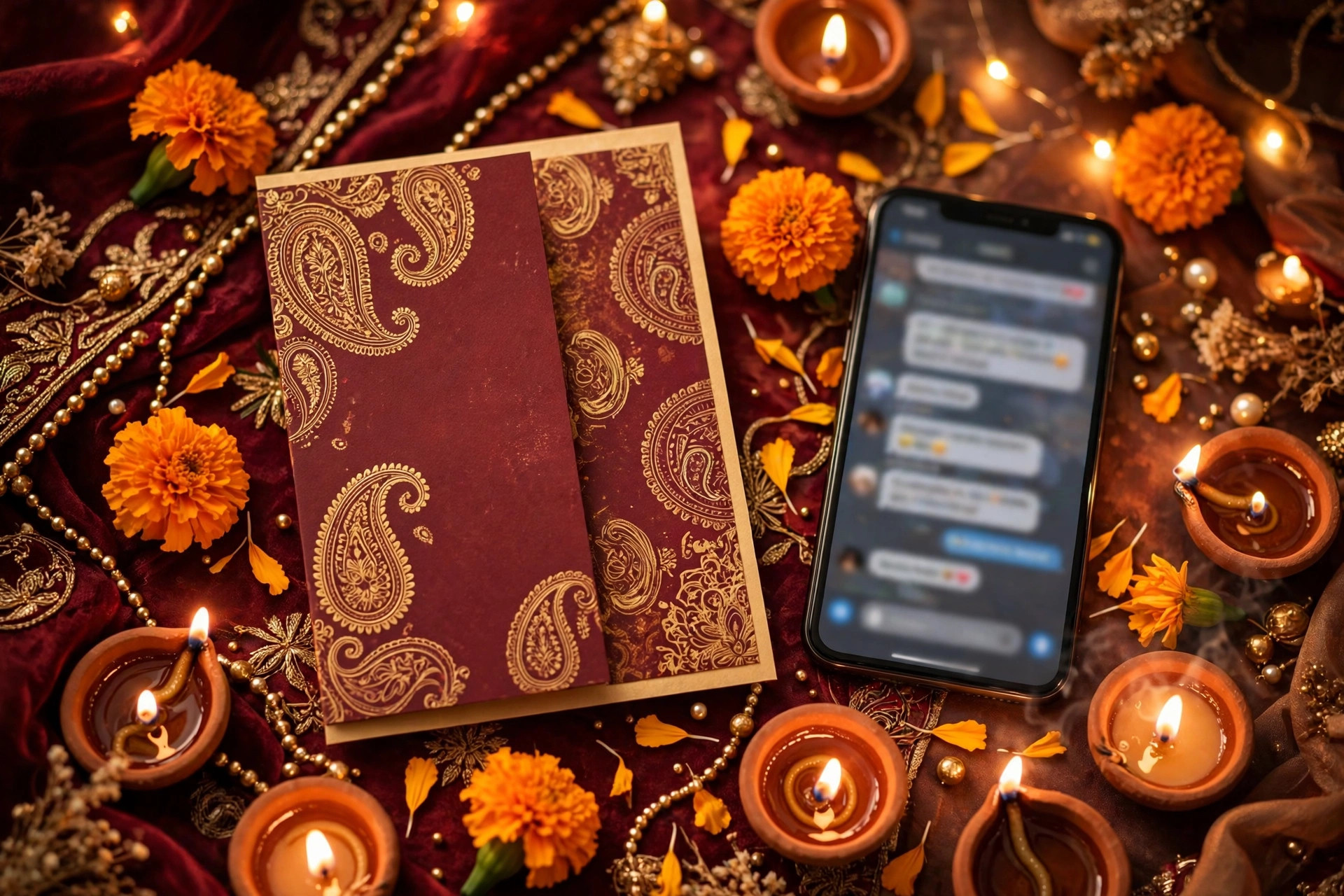
Wedding Livestream on a Budget: Gear, Apps & How to Share the Link (2026 Guide)
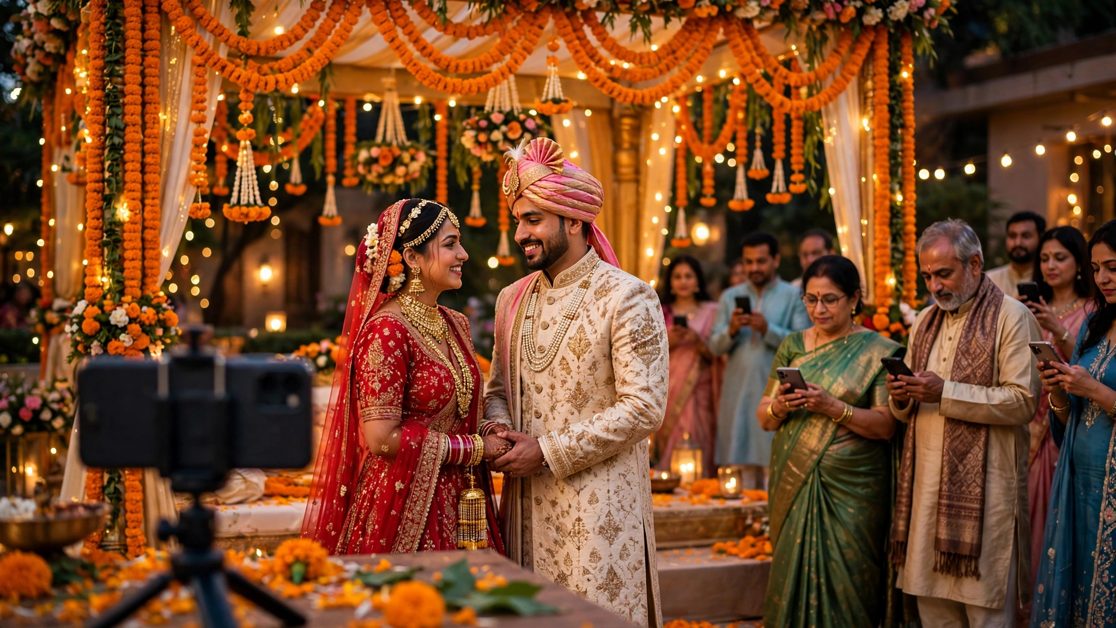
Wedding Livestream on a Budget: Gear, Apps & How to Share the Link (2026 Guide)
Not every guest can make it to your wedding in person. A grandparent in another city, a cousin working abroad, a friend who just had a baby — the people who love you most are often the ones who cannot travel. A wedding livestream on a budget solves that problem beautifully: for the price of a single dinner plate at some venues, you can let hundreds of loved ones watch your ceremony live from their phones, wherever they are in the world.
The good news is that you do not need a television crew, a production company, or a five-figure budget to livestream a wedding well. In 2026, a good phone, a stable internet connection, and a little planning are enough to produce a stream that feels warm, personal, and watchable. This guide walks you through everything: the cheapest gear that actually works, the best free and low-cost apps, how to share the link so nobody misses it, and the mistakes that ruin otherwise lovely streams.
Whether you are planning a big fat Indian wedding with five functions or a single intimate ceremony, the same principles apply. And once you have the livestream sorted, your digital invitation becomes the perfect place to put the link — guests open one invite and find the venue, the schedule, the RSVP, and the live video in one place.
Why Livestream Your Wedding at All?
Before we get into gear and apps, it is worth being clear about what a livestream gives you. First, it includes people. Elderly relatives, friends abroad, and guests with health or travel constraints can still feel part of the day instead of waiting for photos afterwards. Second, it creates a record. Most livestream platforms save the video automatically, so you end up with a full-length recording of your ceremony without hiring a separate videographer for that purpose. Third, it reduces pressure. When guests know they can watch online, you feel less guilty about a smaller guest list — and a smaller guest list is itself one of the biggest wedding cost savers.
A livestream is not a replacement for being there, and nobody expects it to be. It is a bridge. Done simply and well, it makes distant guests feel remembered rather than forgotten, and that is worth far more than a fancy camera rig.
Step 1: Decide What You Are Actually Streaming
The single biggest budget decision is scope. Streaming every function for six hours a day across five days needs more battery, more data, and more stamina than streaming one ceremony. Decide early, and tell guests exactly what to expect.
The ceremony-only stream (cheapest and simplest)
Stream just the main ceremony — the pheras, the vows, the ring exchange, or the Nikah — for 45 to 90 minutes. This is the moment distant guests care about most, it needs the least gear, and one phone battery can usually handle it with a power bank as backup. If your budget is truly tight, start here.
The highlights stream (best value for most couples)
Stream the key moments of two or three functions: the Haldi or Mehndi highlights, the Sangeet performances, and the full wedding ceremony. You go live for 30 to 60 minutes per function rather than all day. Guests get the flavour of the whole celebration without you managing a broadcast all week.
The all-day stream (only if someone else runs it)
A continuous stream across a full wedding day sounds generous, but it needs multiple phones or cameras, chargers, data, and — most importantly — a dedicated person watching the feed. Unless a friend or vendor volunteers to run it, skip this option. A short, beautiful stream beats a long, shaky one every time.
Budget tip: Put the exact stream schedule in your invitation — "Live: Wedding Ceremony, Sunday 11:00 AM IST" — so online guests know when to tune in and do not sit staring at an empty mandap for two hours while the baraat is still dancing outside.
Step 2: The Budget Gear Kit (What You Actually Need)
Here is the honest truth about wedding livestream gear: the phone in your pocket is already good enough. Everything else on this list exists to fix the three things that actually ruin phone streams — shaky video, bad audio, and a dead battery or dropped connection.
1. A phone with a good camera (₹0 — you already own it)
Any phone from the last three or four years shoots perfectly watchable 1080p video. You do not need the latest flagship. What matters more is that the phone is free during the ceremony: it cannot also be the photographer's phone, the DJ's music phone, or the coordinator's phone. Dedicate one phone to the stream, put it in Do Not Disturb mode, and leave it alone.
If you can borrow a second phone, use it as a backup that films the same ceremony offline. If the stream drops, you still have the recording.
2. A tripod or phone stand (₹300–₹1,000)
This is the single best money you will spend on your stream. A handheld phone shakes, drifts, and eventually films the floor when the holder gets tired or emotional. A basic tripod with a phone mount holds the frame steady for the whole ceremony, and it frees up a person. Look for one tall enough to see over seated guests — a small tabletop tripod on a chair often works better than a short stand on the ground. Test the height at the venue before the wedding day, not during it.
3. A power bank (₹800–₹1,500)
Livestreaming drains a battery fast — expect a phone to lose 20 to 30 percent per hour of streaming. A 10,000 mAh or 20,000 mAh power bank, plugged in from the start, removes battery anxiety completely. Tape or clip the cable neatly so nobody trips over it, and keep the power bank shaded if the ceremony is outdoors, since heat plus charging makes phones overheat and shut down.
4. Audio: the part most couples forget (₹0–₹2,000)
Guests will forgive slightly soft video. They will not forgive audio they cannot understand. Phone microphones pick up wind, crowd chatter, and the dhol from three rooms away far better than they pick up the priest's voice or your vows.
The cheapest fix costs nothing: place the streaming phone as close to the couple as the venue allows, ideally within three to four metres, facing the mandap. The next step up is a basic wired lavalier microphone (₹500–₹1,000) clipped near the ceremony area, or a budget wireless mic set (₹1,500–₹2,000) if you want the couple's voices clearly. You do not need studio audio — you need voices that are louder than the background. Test this at the rehearsal or during a pre-wedding function, because you cannot fix audio after the ceremony is over.
5. Internet: the real make-or-break item (₹0–₹500)
A livestream is only as good as its upload speed. Before the wedding, run a speed test at the venue at the same time of day as your ceremony, standing exactly where the streaming phone will stand. You want at least 5 Mbps upload for a stable 720p stream, and 10 Mbps or more for 1080p. Venue Wi-Fi is often shared with hundreds of guests, so do not rely on it alone. A mobile hotspot on a second phone, with a data pack topped up for the day, is often more reliable. If the venue is a banquet hall with thick walls or a farmhouse on the outskirts, test twice — once indoors and once at the mandap — because signal can change dramatically across a few metres.
Total budget kit: tripod ₹500 + power bank ₹1,000 + wired mic ₹700 = roughly ₹2,200, plus a phone and data plan you already have. That is a complete, watchable wedding livestream for less than the cost of one guest's dinner at many venues.
Step 3: The Best Apps for a Budget Wedding Livestream (2026)
Every app below is free or has a genuinely useful free tier. Pick based on who your guests are, not on which app has the most features — the best platform is the one your grandmother can open without calling you for help.
YouTube Live (best for large, mixed-age audiences)
YouTube is free, works on every phone and television, and saves the recording automatically. Guests do not need an account to watch a public or unlisted stream — they just tap a link. Unlisted is the right choice for most weddings: anyone with the link can watch, but the video does not appear in search results or on your channel page. The catch is that a brand-new YouTube channel must enable livestreaming at least 24 hours in advance, so set this up a few days before the wedding, not on the morning of it. Stream in 720p if your connection is modest; it looks smooth and uses far less data than 1080p.
Zoom or Google Meet (best for small, interactive guest lists)
If your online guest list is under 50 people and you want them to react, wave, and say congratulations live, a video meeting beats a broadcast. Guests see each other, you can spot your aunt waving from London, and the host can mute everyone except the ceremony area to keep audio clean. The free tiers have time limits, so check them before the day and start a fresh meeting for the ceremony itself rather than running one call all day. Share the meeting link only with invited guests, and enable the waiting room so uninvited strangers cannot wander in.
Instagram Live or Facebook Live (best if your guests already live there)
If most of your friends are already on Instagram or Facebook, going live there removes all friction — they get a notification and tap straight in. The trade-off is quality and archiving: vertical video suits phones but not televisions, and the recording is tied to your social account rather than a clean shareable link. This works best as a second, informal stream — the Sangeet performances, the baraat dancing — while YouTube carries the main ceremony.
WhatsApp video call (best for one or two elderly relatives)
Do not overlook the simplest option. If the entire point of your stream is that your grandmother in the village can watch, a WhatsApp video call to her phone, held by a cousin near the mandap, may serve her better than any platform. It needs no link, no account setup, and no instructions. Sometimes the lowest-tech solution is the kindest one.
App comparison at a glance: YouTube Live — free, unlimited viewers, auto-recording, needs 24-hour setup. Zoom/Meet — free for small groups, interactive, time limits on free plans. Instagram/Facebook Live — free, instant audience, vertical video, weaker archiving. WhatsApp — free, one-to-one, zero learning curve. For most Indian weddings, YouTube Live for the ceremony plus WhatsApp for elderly relatives covers everyone.
Step 4: How to Share the Livestream Link So Nobody Misses It
A perfect stream that nobody can find is a failed stream. This is where most couples lose their audience — the link ends up buried in a family WhatsApp group under 200 good-morning messages. Treat link-sharing as its own task, with its own checklist.
Put the link in your digital invitation
This is the single most effective move. Your digital wedding invitation is the one link every guest already has saved, and unlike a WhatsApp message, it does not get buried. Add a clear "Watch Live" button or section to the invitation with the stream link, the date, the time with time zone, and which functions are streamed. Guests open the invite on the wedding day and tap straight into the stream. If your invitation platform lets you update the link after sending — for example, if you switch from YouTube to Zoom at the last minute — even better: one update reaches everyone.
A digital wedding invitation from Jobitra can carry the livestream link alongside the venue map, the function schedule, and the RSVP, so online guests and attending guests use the same invite. Plans start at ₹199, which is less than most couples spend on printed inserts alone.
Send a reminder on the day, twice
Send the link once the morning of the wedding ("Going live at 11:00 AM IST — tap here to watch") and once more 15 minutes before the ceremony starts ("We are live in 15 minutes"). The second message is the one most people actually act on. Include the time in the guest's local time zone if you have many guests abroad — "11:00 AM IST / 6:30 AM London / 1:30 AM New York" prevents a whole continent from tuning in after the pheras are done.
Use one link, everywhere
Do not send a YouTube link to one group, a Zoom link to another, and an Instagram handle to a third. Pick one primary stream, one link, and repeat that same link in the invitation, the WhatsApp reminder, and the family group. Every extra link is a chance for someone to open the wrong one and conclude the stream is broken.
Appoint a "link person"
Ask one tech-comfortable friend or cousin to be the point of contact for online guests on the day. When someone messages "the link is not working," the link person troubleshoots — checks whether the stream is actually live, resends the link, or suggests refreshing — while you stay fully present in your ceremony. This small delegation saves you from spending your wedding morning as tech support.
Step 5: The Wedding-Day Livestream Checklist
Print this list, hand it to whoever is running the stream, and tick it off the day before — not on the morning of the wedding.
- Streaming phone charged to 100%, Do Not Disturb on, auto-lock disabled, storage space free.
- Tripod positioned and height-tested at the actual ceremony spot, with a clear view of the couple and the mandap.
- Power bank fully charged, cable connected, and taped safely out of walkways.
- Microphone tested from the streaming position — can you hear voices over the music and crowd?
- Internet tested at the venue at ceremony time: upload speed above 5 Mbps, hotspot topped up as backup.
- Stream link created and tested with a private/unlisted test broadcast at least a day earlier.
- Link added to the digital invitation and sent to the family WhatsApp group.
- Online guest reminders scheduled: morning-of and 15-minutes-before messages, with time zones.
- A second phone recording offline as backup, in case the stream drops.
- A "link person" briefed and ready to help online guests during the ceremony.
- Camera framing checked: couple in the centre, no bright window or light directly behind them, no guest's head blocking the view for the whole ceremony.
- Plan for the end: who stops the stream, and who confirms the recording saved correctly before everyone leaves?
Common Livestream Mistakes (and How to Avoid Them)
Filming vertically for a television audience. Vertical video looks fine on a phone but tiny on a laptop or TV. If most guests will watch on larger screens, film horizontally. If your audience is almost entirely on phones via Instagram, vertical is fine — just choose deliberately.
Starting the stream too early. Going live two hours before the ceremony means online guests join, see an empty hall, and leave — and may not come back. Go live 10 to 15 minutes before the ceremony with a simple "Starting soon" view or some background music, and announce the exact start time in advance.
Forgetting the time zone. "11 AM" means nothing to a cousin in Toronto unless you say IST and give their local time. Add time zones to every message about the stream.
Nobody watching the stream. Assign someone to glance at the stream on their own phone during the first five minutes. If the audio is muted, the camera is pointing at a pillar, or the stream never actually started, you want to know in minute five, not after the ceremony.
Sharing the link only in one WhatsApp group. Family groups splinter — cousins, colleagues, and in-laws are often in different groups, and someone always gets missed. The invitation is the one place everyone has; that is why the link belongs there first.
Overheating phones. Direct sunlight plus livestreaming plus charging is the fastest way to a phone that shuts itself down mid-ceremony. Shade the phone, remove thick cases if it runs hot, and keep a backup phone ready.
How Much Does a Wedding Livestream Really Cost?
Here is a realistic budget breakdown for a ceremony-only stream in India in 2026:
| Item | Budget option | Approximate cost |
|---|---|---|
| Camera | Your existing phone | ₹0 |
| Tripod + phone mount | Basic full-height tripod | ₹500–₹1,000 |
| Power bank | 10,000–20,000 mAh | ₹800–₹1,500 |
| Microphone | Wired lavalier mic | ₹500–₹1,000 |
| Internet | Mobile data top-up / hotspot | ₹200–₹500 |
| Streaming platform | YouTube Live (unlisted) | ₹0 |
| Invitation with live link | Digital invitation, from ₹199 | ₹199+ |
| Total | Complete budget setup | ~₹2,200–₹4,200 |
Compare that with a professional livestream crew, which typically starts at ₹15,000–₹30,000 for a single function in most Indian cities. The professional option buys you multiple cameras, guaranteed audio, and someone else worrying about it — and if your budget allows it, it is a lovely upgrade. But if it does not, the budget setup above produces a stream your family will genuinely enjoy watching, and the money saved can go towards the honeymoon, the photography, or simply staying out of wedding debt.
After the Wedding: What to Do With the Recording
Your livestream recording is a gift that keeps giving. Download it within a week — platforms sometimes change access or compress old videos — and back it up in two places, such as a hard drive and a cloud folder. Share the recording link with the same guests who watched live, plus anyone who missed it, through the same invitation or WhatsApp group. A short message — "Missed the live stream? Watch the full ceremony here" — gets watched far more often than a raw video file dumped into a group with no context.
If you hire a videographer later for a highlight film, the livestream recording also gives them a complete reference for the ceremony's order, vows, and speeches. And years from now, when the details blur, a full-length recording of your voices, your families' laughter, and the exact moment you were pronounced married will matter more than any single photograph.
Frequently Asked Questions
Do I need permission from the venue to livestream my wedding?
Usually, yes — ask. Most venues are happy to allow a single phone on a tripod, but some banquet halls and temples have their own photography rules, restricted areas, or Wi-Fi policies. Ask in writing when you book, confirm where the tripod can stand, and check whether the venue's own Wi-Fi can be used or whether you should bring a hotspot.
How much data does a wedding livestream use?
A one-hour 720p stream uses roughly 1.5 to 2.5 GB of upload data, and 1080p can use 3 to 4 GB per hour. Top up your data pack before the day, and if you are using a hotspot, keep the streaming phone on Wi-Fi from the hotspot phone rather than streaming over its own mobile data while also running low on battery.
Can guests watch the livestream later if they miss it live?
Yes, if you use YouTube Live or Facebook Live and leave the recording up. Set the video to unlisted on YouTube so only people with the link can find it, then share that same link after the wedding. Tell guests in advance that a recording will be available — it takes the pressure off anyone who cannot watch live because of work or time zones.
What if the internet fails halfway through the ceremony?
This is exactly why you keep a second phone recording offline. If the stream drops, the offline recording still captures everything, and you can upload it afterwards. During the ceremony, the "link person" can post a quick update — "Stream paused briefly, back shortly" — so online guests wait instead of leaving. Do not let anyone interrupt the ceremony to fix tech; the recording matters more than the live moment.
Should I livestream every function or just the wedding?
For most couples, the wedding ceremony plus one fun function — the Sangeet or the reception — is the sweet spot. Streaming everything dilutes attention and exhausts whoever runs the stream. Guests would rather watch two great streams than five patchy ones.
Is it rude to livestream a religious ceremony?
Not if you handle it respectfully: ask the priest or officiant first, keep the camera discreet and stationary, avoid flash and movement during sacred moments, and do not announce or narrate over prayers. Most officiants are comfortable with a quiet tripod in a corner; what they object to is a camera operator wandering through the ritual.
Conclusion: Keep It Simple, Share the Link Well
A wedding livestream on a budget is not about buying impressive gear. It is about three decisions made early: one dedicated phone on a tripod, one platform your guests can actually open, and one link shared in the place every guest already has — your invitation. Get those three right, test your audio and internet before the day, and appoint one person to watch the stream so you do not have to. The result is a ceremony your far-away loved ones genuinely experience, a recording you will treasure, and a bill of a few thousand rupees instead of a few tens of thousands.
Ready to put it all together? Explore Jobitra's digital wedding invitations — add your livestream link, venue map, schedule, and RSVP to one beautiful invite your guests can open on any phone — and check Jobitra pricing for plans starting at ₹199. You can also try the tools on the Jobitra app while you plan. Your guests, near and far, will thank you for making it this easy to be there.