Wedding Invitation Proofreading Checklist: 12 Mistakes to Catch Before You Send (2026 Guide)
Wedding Invitation Proofreading Checklist: 12 Mistakes to Catch Before You Send (2026 Guide)
You have picked the template, uploaded the photos, written the sweetest wording, and your finger is hovering over the send button on WhatsApp. Stop. Before a single guest sees your wedding invitation, spend ten minutes proofreading it — because a wedding invitation proofreading checklist is the cheapest insurance your wedding will ever buy. One wrong digit in a pincode, one swapped letter in a name, one Google Maps pin dropped at the wrong banquet hall, and fifty relatives land somewhere else on your wedding day. Unlike a printed card, a digital invitation can be fixed after sending — but only if you catch the mistake, and only if you check before the first hundred forwards. This guide walks you through the twelve mistakes Indian couples actually make on their wedding invitations, in the order you should check them, plus a printable ten-minute routine you can run the night before you hit send.
Why Proofreading a Wedding Invitation Matters More Than You Think
A wedding invitation is not a birthday card. It is the single document your guests trust for the three facts that decide whether they show up at all: who is getting married, when, and where. Get any one of those wrong and the consequences are real — an aunt travelling from Nagpur to the wrong venue, a cousin arriving a day early because the date and the day of the week did not match, or a grandmother who cannot read the Devanagari text because a matra broke during typing. In Indian weddings the stakes are higher still: invitations carry two families' names, honorifics that signal respect, multiple functions spread over days, and often two scripts — English and Marathi, Hindi, Tamil or another language. Every extra line is another place for an error to hide.
The good news: every one of these mistakes is preventable, and a digital invitation gives you a superpower paper never had — you can correct it instantly and every guest sees the updated version from the same link. The trick is to catch the error before the invitation has been forwarded fifty times. Work through the twelve checks below in order, then run the ten-minute routine at the end.
1. Wrong or Misspelled Names — the Bride, Groom, Parents and Honour
Names are the number-one error on wedding invitations, and the most embarrassing. Check every single name character by character: the bride's full name, the groom's full name, both sets of parents, and any grandparents or guardians named on the card. Indian names are long, and the errors are usually small — "Sneha" typed as "Snehha", "Kulkarni" as "Kulkarani", a missing "h" in "Shubham". Read each name aloud against the person's Aadhaar card or passport, not from memory.
Also check honorifics and titles: "Shri" and "Shrimati" before the right names, "Late" only where it genuinely applies, "Dr." or "Adv." only for the person who holds the title. A misplaced "Late" before a living parent's name is the kind of mistake that upsets a whole family. And if your families use different spellings of the same surname — Joshi vs Joshii, Deshmukh vs Deshmuk — confirm which spelling each family actually uses and use it consistently on every function page.
2. The Date and the Day of the Week Don't Match
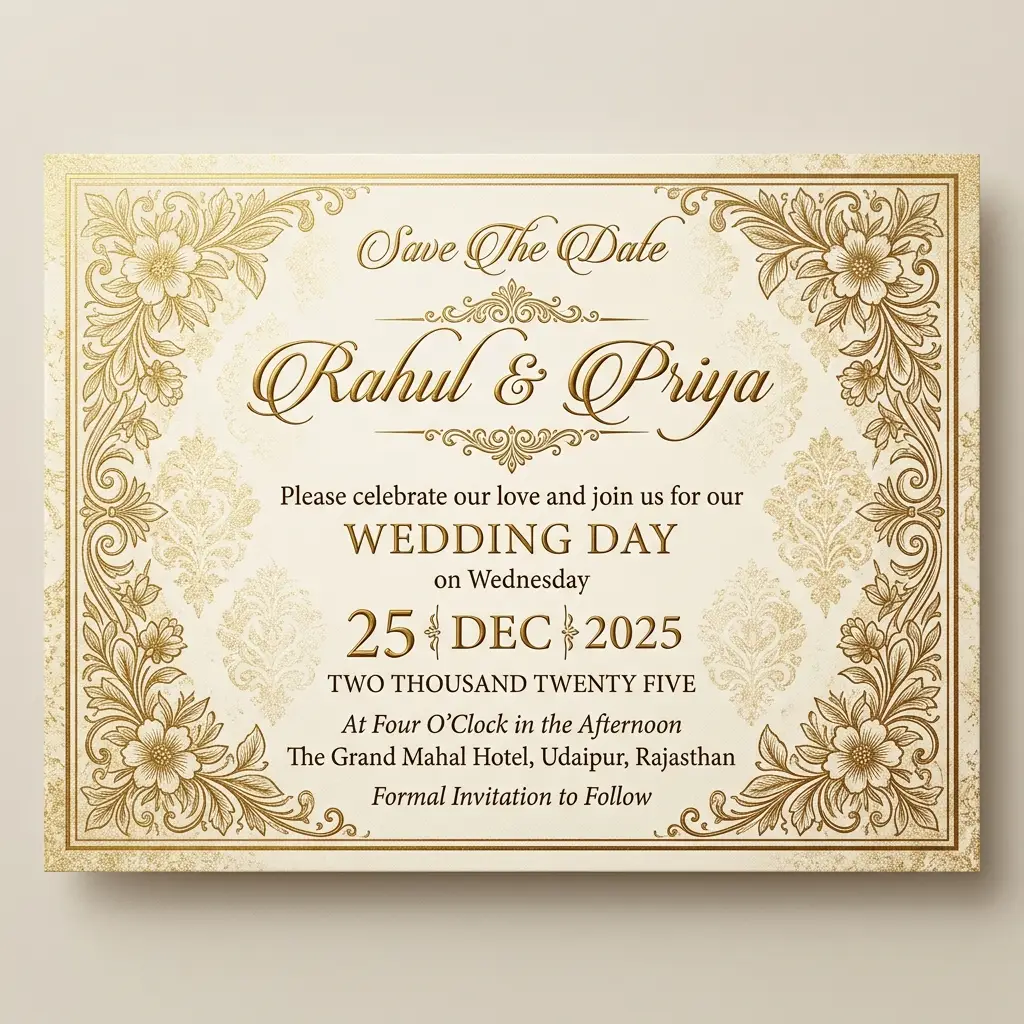
This is the classic Indian wedding error. You write "Sunday, 29th November 2026" — but 29 November 2026 is actually a Sunday, so you are safe; the problem comes when the date is right and the weekday is wrong, or vice versa. Guests trust the weekday more than the number, so a mismatch sends half your guest list on the wrong day. Always verify the day of the week on a calendar, for every single function date, not just the wedding day. Check Haldi, Mehndi, Sangeet, the wedding and the reception separately — a multi-day wedding has five chances to get this wrong.
While you are at it, check the year. Couples planning a year ahead sometimes copy last year's wording and forget to update 2026 to 2027. And if your invitation shows dates in two formats — "29 November 2026" in the header and "29/11/2026" in the details — make sure both say the same thing.
3. Wrong Muhurat or Ceremony Time
The muhurat is sacred, and it is also a number guests plan their whole day around. Verify the exact muhurat time with your pandit or priest and write it exactly as given — "Muhurat: 11:47 AM" is not the same as "Muhurat: 12:00 PM". Then check the other times on the card: the baraat arrival, the pheras, lunch, the reception start. A common slip is writing the reception time as the wedding time, or copying the lunch time onto the dinner line.
Use AM and PM consistently and unambiguously. "7:00" without AM or PM is a coin toss — half your guests will assume evening, the other half morning. Write "7:00 PM" every time. If your invitation lists functions across days, double-check that each time sits next to the right date.
4. Venue Name, Address and Pincode Errors
The venue line gets more errors than any other part of the invitation, because it is the longest string of unfamiliar words on the card. Check the venue name letter by letter — "The Grand Banquet" is not "Grand Banquet Hall", and a guest searching for the wrong name will not find it. Then check the full address: building name, street, area, city, and most importantly the pincode. One wrong digit in a six-digit pincode sends a cab, a courier and a confused relative to a different neighbourhood entirely.
Indian addresses have their own traps: the same area name exists in two cities, a road has an old name and a new name, and a landmark ("near XYZ Mall") may have closed years ago. Use the address exactly as it appears on the venue's own website or Google Maps listing, and delete any landmark that no longer exists. If the wedding and the reception are at different venues, check that each function points to its own address — never copy-paste one venue block onto another function without re-reading it.
5. The Google Maps Link Points Somewhere Else
On a digital invitation, the venue address is only half the story — the "Get Directions" button is the other half, and it fails silently. Open the Maps link from your own phone, exactly as a guest would, and confirm three things: the pin sits on the actual venue building (not the road outside, not a similarly named hall two kilometres away), the venue name shown on Maps matches your invitation, and the route works from a real starting point. Banquet halls with similar names are common — "Celebration Banquet, Baner" and "Celebrations Lawns, Baner" are two different places.
If your invitation uses a QR code for the venue, scan it yourself before sending. QR codes are wonderful until they encode a draft link, a shortened URL that expired, or a link to last year's venue. Scan every QR code on the invitation — venue, RSVP, photo gallery — with a different phone from the one you built it on.
6. Wrong Phone Numbers on the RSVP and Contact Lines
Your invitation probably lists one or two phone numbers: "For queries, call…" and the RSVP contact. Dial both numbers before you send. A single transposed digit — 86985 instead of 86958 — means your guests' calls and RSVPs go to a stranger, and you never find out why nobody replied. Check the country code too if NRI guests are invited: +91 before Indian numbers, no stray zero after it.
Also check whose number is listed. The bride's father's number on the bride's side and the groom's father's number on the groom's side is the usual split — but if the invitation is shared with everyone, make sure the listed person is actually willing and able to answer a hundred calls. And confirm the WhatsApp number is the same one that has WhatsApp active; a number that only takes calls will frustrate guests who tap it expecting a chat.
7. Devanagari and Regional Script Errors (Marathi, Hindi, Tamil and More)
This is the mistake most couples miss completely, because they proofread the English and assume the Marathi or Hindi is fine. Devanagari text breaks in ways English never does: a matra lands on the wrong letter, a half-letter (jodakshar) renders as two separate letters, a nukta disappears, or a word typed in the wrong keyboard layout comes out as gibberish. If your invitation says "lagna patrika", read every Marathi line slowly, ideally with an elder in the family reading it aloud — they will catch a wrong matra in seconds.
The same rule applies to Hindi, Tamil, Telugu, Bengali and every other script. Never trust an auto-transliteration without a human check, and never copy Devanagari text from a website into your invitation without re-reading it — fonts and encodings can silently change characters during the paste. Check the couple's names in the regional script with extra care: a wrong letter in a name in Marathi is just as hurtful as one in English, and far more likely to slip through because fewer people check it.
8. Function Order and Mixed-Up Ceremony Details
A multi-function Indian wedding invitation is really five invitations in one, and the details love to migrate between functions. The classic errors: Haldi details under the Sangeet heading, the Mehndi venue under the wedding date, the reception dress code on the Haldi page, or the same function listed twice with two different times. Read each function block as if it were the only one on the card, and ask: date right, time right, venue right, dress code right, for this function only?
Also check the sequence makes sense. Haldi and Mehndi come before the wedding, not after; the reception follows the wedding, not the engagement. If your invitation lists functions in chronological order — which guests find easiest to follow — verify the order after every edit, because dragging one block up or down in the editor can silently reorder the rest.
9. Inconsistent Names and Details Across the Invitation
Your invitation says "Prajwal weds Sneha" on the cover, "Prajwal & Sneha" on the wedding page, and "Prajwal and Sneha Ramteke" on the reception page — is Sneha's surname Ramteke everywhere it should be, and nowhere it should not be? Inconsistency looks careless even when nothing is strictly wrong. Pick one form for each name and use it identically on the cover, every function page, the RSVP form and the photo gallery captions.
The same rule covers venues, times and spellings. If the venue is "The Orchid Hotel" on page one, it cannot become "Hotel Orchid" on page three. If you write dates as "29th November" in one place, do not write "Nov 29" in another. Consistency is the easiest proofreading win there is: it costs nothing, and it is the first thing a careful guest notices.
10. Broken Links, Dead Buttons and a QR Code That Leads Nowhere
A digital invitation is a small website, and websites have links that break. Click every link on your invitation before sending: the RSVP button, the photo gallery, the "Add to Calendar" button, the venue directions, the gift registry link if you have one, and every social-media icon. A button that does nothing is worse than no button at all — guests tap it, nothing happens, and they assume the invitation is broken.
Pay special attention to links you pasted weeks ago. A Google Photos album link can change when the album is reorganised; a shortened link can expire; a payment or gift link can point at a test page. And if your invitation has a background song, press play — a silent autoplay on the one hand, or a song that starts at full volume on the other, are both worth knowing about before your grandmother opens the link.
11. Typos in the RSVP Deadline, Dress Code and Gift Instructions
The small print carries the instructions guests actually follow, so typos there cause real confusion. Check the RSVP deadline date and make sure it is before the wedding — "Please RSVP by 29th November" for a 29th November wedding is no deadline at all. A good RSVP deadline is two to four weeks before the wedding, so you can give the caterer a final headcount.
Check the dress code wording too. "Pastel shades for Haldi" must not read "pastel shades for Sangeet". And if you wrote "No gifts please, your presence is the present" on one page, make sure no other page still lists a gift registry or a bank account for gifts — mixed messages on gifts are awkward for everyone. Finally, read the fine print for auto-correct disasters: phones love to change "Sangeet" to "Sangria" and "Mehndi" to "Mehdi", and both have shipped on real invitations.
12. You Never Previewed It on an Actual Phone
This is the mistake that makes all the others invisible. You built the invitation on a laptop, proofread it on a laptop — and your guests will open it on phones. Text that fits beautifully on a desktop can overflow, overlap or shrink to unreadable size on a phone screen. Open the invitation on at least two different phones — one Android, one iPhone if you can — and scroll through every page. Look for text running off the edge, photos covering the venue address, buttons hiding behind other buttons, and Devanagari text that renders fine on your laptop but breaks on your mother's phone.
While you are there, check the invitation in both light and dark mode if your phone offers it, and with the font size turned up one notch, as older relatives often do. If anything overlaps or clips, fix it before sending — not after the first guest screenshots it and forwards the broken version to the family group.
The 10-Minute Proofreading Routine (Run This the Night Before You Send)
Do not proofread in one tired pass. Run this routine the night before you send, fresh-eyed, with a second person if possible — a fresh pair of eyes catches what yours skips, because your brain auto-corrects your own writing.
| Minute | What to do | How |
|---|---|---|
| 0–2 | Names and dates | Read every name against an ID card; verify every date's weekday on a calendar |
| 2–4 | Venue and maps | Check address and pincode; open the Maps link on your phone and confirm the pin |
| 4–6 | Times and functions | Confirm muhurat with the pandit; check each function's time, venue and order |
| 6–7 | Regional script | Have a family elder read the Marathi/Hindi/Tamil lines aloud |
| 7–8 | Links and QR codes | Click every link; scan every QR code with a different phone |
| 8–9 | Phones and small print | Dial both contact numbers; re-read RSVP deadline, dress code and gift lines |
| 9–10 | Phone preview | Open the invitation on two different phones and scroll every page |
One more rule that saves more weddings than any other: never proofread your own invitation alone, and never proofread it in a hurry. The couple who wrote the wording is the worst person to check it — you will read what you meant to write, not what is actually there. Ask your sibling, your best friend, or a parent to do the final pass. Give them this checklist and a red pen (real or mental), and accept every correction gracefully. An error found by your sister the night before costs nothing; the same error found by your aunt on the wedding morning costs a family argument.
What If You Find a Mistake After Sending?
First, do not panic — and do not send a correction to the whole guest list before you have fixed the source. On a printed card, a mistake is permanent; on a digital invitation, it is a two-minute fix. Correct the invitation itself first, then send one short, clear correction message only to the people affected: "Correction: the reception is at 7:00 PM, not 7:00 AM — the invitation link has been updated, please check the same link." Never send a second full invitation; guests will not know which one to trust.
Then check how far the error travelled. If the invitation was shared in a family WhatsApp group, post the correction in the same group. If individual guests forwarded it, ask them to forward the correction too. And if the mistake was in the venue or the date — the two errors that actually strand people — consider a phone call to elderly relatives and outstation guests who may not check WhatsApp twice. A digital invitation makes fixing easy; it does not make the fix automatic. The correction still has to reach the people who saw the wrong version.
How Jobitra Makes Proofreading (and Fixing) Easier
The whole point of a digital wedding invitation is that it stays editable. With Jobitra, you build your invitation on a live preview, so you see exactly what your guests will see — on a phone screen, not just a desktop. If you spot a wrong pincode or a broken matra after sending, you edit it once from your dashboard and the same link every guest already has shows the corrected version instantly. There is no reprinting, no re-forwarding, no second card.
Jobitra's invitation builder also helps you avoid the mistakes in this checklist by construction: the venue block carries a Google Maps link you can test before publishing, the RSVP dashboard collects replies in one place so you are not chasing phone numbers, and the background music, photo gallery and countdown all live on the same page, so there is no second link to go stale. Browse the wedding invitation templates to find a design that fits your functions, and see the pricing plans — the Celebration plan at ₹499 for 3 months covers a full multi-day wedding with RSVP dashboard and background music, while the Family plan at ₹1,499 for 6 months adds an advanced RSVP dashboard and 25 web invitation projects for families celebrating more than one event. You can also get the Jobitra app from jobitra.com/app to manage your invitation from your phone, which makes that final phone preview genuinely easy.
Frequently Asked Questions
How long before the wedding should I send the invitation?
Send digital wedding invitations four to six weeks before the wedding for local guests, and eight to twelve weeks ahead for outstation and NRI guests who need to book travel. Save-the-date messages can go out three to six months early. Whatever your timeline, finish proofreading at least a day before you send — never proofread and send in the same hour.
What is the single most common wedding invitation mistake?
A wrong or misspelled name, closely followed by a date whose weekday does not match. Names are emotional — a misspelled parent's name offends — and a wrong weekday sends guests on the wrong day. Check names against ID cards and every date against a calendar, every time.
Should I proofread the Marathi or Hindi text separately?
Yes, always. Devanagari errors — wrong matras, broken half-letters, missing nuktas — are invisible to someone who only reads the English. Ask a family elder who reads the script fluently to read every regional-language line aloud before you send. The same applies to Tamil, Telugu, Bengali and any other script on your invitation.
Can I fix a mistake on a digital invitation after sending it?
Yes — that is the biggest advantage of a digital invitation over a printed card. Edit the invitation once from your dashboard and every guest opening the same link sees the corrected version. Just remember to also send a short correction message to anyone who already saw the wrong detail, especially for venue, date or time changes.
What should I do if the Google Maps link shows the wrong venue?
Do not just fix the address text — fix the link itself. Search for the venue on Google Maps, confirm the pin is on the correct building, copy that exact link into your invitation, and then open it from a different phone to confirm. Similar venue names are common in Indian cities, so check the area and pincode on the Maps listing too.
How many people should proofread a wedding invitation?
At least two, and ideally three: the couple, plus one family member from each side. The bride's family checks the bride's names and details, the groom's family checks the groom's, and a friend checks the whole thing with fresh eyes. Three readers catch errors that one reader — especially the person who wrote it — will always miss.
Conclusion: Ten Minutes Tonight Saves a Hundred Phone Calls Later
A wedding invitation proofreading checklist is not fussy, and it is not optional. Your invitation is the one document every guest trusts for the facts of your wedding — names, dates, times, venue, maps, and how to reply. The twelve mistakes in this guide are the ones Indian couples actually make: misspelled names, mismatched weekdays, wrong muhurat times, venue and pincode errors, Maps pins on the wrong building, transposed phone numbers, broken Devanagari matras, mixed-up functions, inconsistent details, dead links, small-print typos, and an invitation never previewed on a real phone. None of them needs talent to prevent. Each needs ten minutes, a second pair of eyes, and a checklist.
Run the ten-minute routine the night before you send, ask a family elder to read the regional script aloud, open the Maps link on your own phone, and dial the numbers on the card. Then send it with confidence — and if anything does slip through, remember that a digital invitation can be corrected in two minutes from the same link. Build yours on Jobitra: explore the wedding invitation templates, pick the plan that fits your celebration on jobitra.com/pricing, and download the app at jobitra.com/app to preview and manage your invitation from your phone. Your guests deserve an invitation that gets every detail right — and so do you.