Wedding Invitation for WhatsApp: Image vs PDF vs Video vs Website — Which Actually Works? (2026 Guide)
Wedding Invitation for WhatsApp: Image vs PDF vs Video vs Website — Which Actually Works? (2026 Guide)
Almost every Indian wedding invitation today travels through WhatsApp first. Before a single printed card reaches anyone, the invitation has already been forwarded through family groups, posted on Status, and sent to cousins, colleagues and old friends — all on WhatsApp. So the question couples actually need to answer is not just "what should our invitation look like?" but "which wedding invitation format for WhatsApp actually works when real guests open it on real phones?"
This guide compares the four formats couples use most on WhatsApp — image, PDF, video and website link — on the things that decide whether guests read, save and act on your invitation: how it looks on a phone screen, how easy it is to forward, whether the details stay readable, whether guests can RSVP, and what happens when you need to correct a mistake. By the end, you will know exactly which format suits your wedding — and which combination most Indian couples should actually use.
The Short Answer: Use a Website Link First, an Image Second
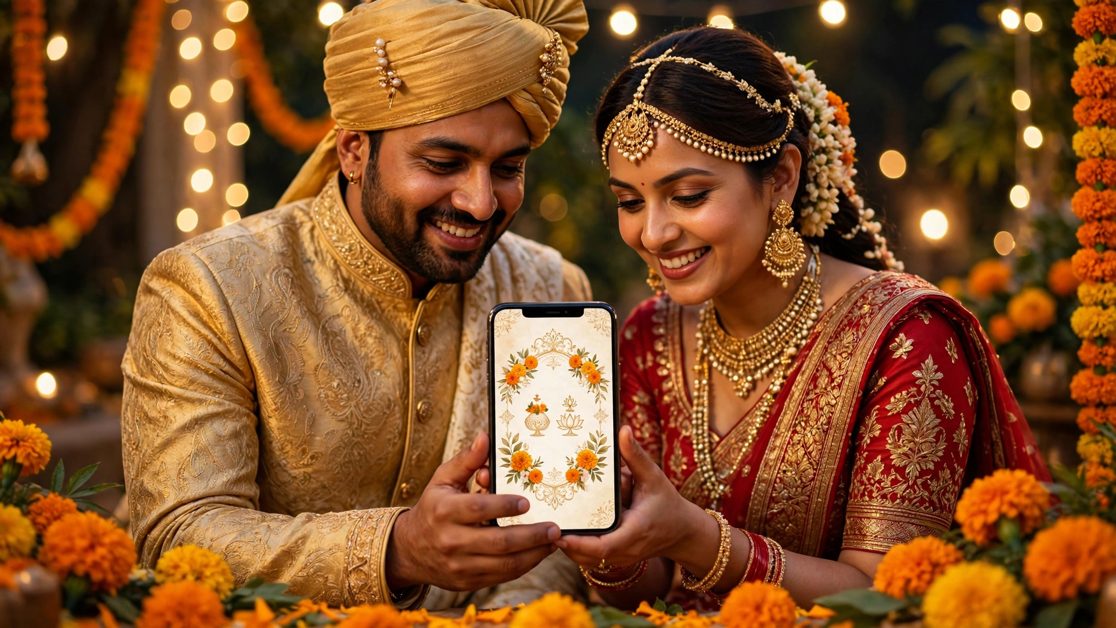
If you only remember one line from this article, make it this one: for most Indian weddings in 2026, a website invitation link is the best primary format on WhatsApp, with a single beautiful image as its companion. The link never degrades, never needs re-downloading, can be updated after sending, and carries RSVP, venue maps, event schedules and photo galleries in one place. The image is what stops the scroll in a busy family group and works perfectly on WhatsApp Status, where links are awkward.
PDFs and videos still have their place — a PDF is a fine keepsake for elders who like to print, and a short video is wonderful for the announcement moment. But as the one format every guest must rely on, both have weaknesses that a website link simply does not. The comparison table below shows why.
Comparison at a Glance: Image vs PDF vs Video vs Website
| What matters | Image (JPG/PNG) | Video | Website link | |
|---|---|---|---|---|
| Looks sharp on a phone | Good at first, but WhatsApp compresses it | Sharp, but tiny text on small screens | Excellent, if kept short | Excellent — designed for phones |
| Easy to forward | Very easy | Easy, but heavy files stall | Easy, but large files fail on slow networks | Easiest — one tap, one link |
| Works on WhatsApp Status | Perfect | No — Status does not show PDFs | Yes, up to the time limit | Via a link sticker or caption |
| RSVP built in | No | No | No | Yes |
| Venue map in one tap | No — guests must type the address | No | No | Yes |
| Fix a mistake after sending | No — resend everything | No — resend everything | No — resend everything | Yes — edit once, fixed everywhere |
| Works on slow data | Yes | Usually | Often buffers | Yes, if kept light |
| Guests can save it easily | Yes, to gallery | Yes, to files | Yes, to gallery | Bookmark or keep the message starred |
| Multiple events in one invite | No — needs several images | Yes, across pages | Rarely — gets too long | Yes — Haldi, Sangeet, Wedding, Reception |
The pattern is clear. Images win on instant visual impact. Videos win on emotion. PDFs win on printability. But only the website link wins on everything a guest actually needs to do after opening your invitation: find the venue, confirm attendance, check the schedule, and share it onwards.
1. Image Invitations: The Scroll-Stopper
An image invitation is a single designed card — usually a JPG or PNG — sent directly in chat. It opens instantly, needs no app, and looks beautiful the moment it appears. This is why designers love it, and why it dominates WhatsApp Status.
Where images shine
- Instant impact: the couple's photo, the colours and the date hit the eye in one second — no tapping, no loading, no waiting.
- Perfect for Status: a square or portrait image fills the Status screen beautifully, and viewers can screenshot it.
- Zero friction for elders: anyone who can open a photo can open your invitation. Nothing to install, nothing to download.
- Easy to forward: one long-press forwards the image to another group, and it survives forwarding well.
Where images struggle
- WhatsApp compresses every image. A crisp 3000-pixel design becomes a much smaller file on arrival. Fine print — venue addresses, pin codes, phone numbers — is the first thing to turn blurry.
- One image, one screen of information. A multi-function wedding (Haldi, Sangeet, Wedding, Reception) needs either tiny text crammed onto one card or four separate images, which guests then have to piece together.
- No interactivity. Guests cannot tap the venue, tap to RSVP, or tap to call. They must copy details by hand, and hand-copied details are where mistakes happen.
- Mistakes are permanent. Wrong date, wrong hall name, a misspelled name? You must design again and resend to everyone — and the old, wrong image keeps circulating in forwarded chats.
Best for: the announcement, WhatsApp Status, and as the visual companion to your main invitation. Not best for: being the only invitation, especially for multi-day weddings.
2. PDF Invitations: The Printable Keepsake
A PDF invitation is a multi-page document — often a digital version of the printed card — shared as a file attachment on WhatsApp. Families who value tradition tend to love PDFs, because they feel closest to a real card.
Where PDFs shine
- Multiple pages, full detail: one PDF can carry the invitation, the full schedule, travel notes and even a family message.
- Prints beautifully: for elders who want a paper copy, or for a keepsake folder, a PDF is the only WhatsApp format that prints at full quality.
- Design stays exact: unlike images, a PDF is not recompressed by WhatsApp, so fonts and layouts arrive as designed.
Where PDFs struggle
- Terrible on small phone screens. A PDF designed like a printed card forces guests to pinch, zoom and scroll sideways to read the venue address. Many simply will not bother.
- Heavy files stall on slow networks. A 10–20 MB designer PDF can take minutes to download on a weak connection, and some guests will never open it at all.
- No Status support. You cannot post a PDF to WhatsApp Status, so it never gets the free visibility an image or video does.
- No interactivity, no updates. Like images, a PDF cannot carry a working RSVP button or a tappable map, and a corrected version means resending the whole file.
Best for: a printable keepsake for close family and elders, sent alongside your main invitation. Not best for: the mass guest list, where phone readability matters more than print quality.
3. Video Invitations: The Emotional Announcement
A video invitation is a short animated film — music, motion, the couple's photos, the date reveal — usually 30 to 90 seconds long. It is the most shared format of all, because people forward videos they enjoy.
Where videos shine
- Emotion and excitement: nothing announces a wedding like music and motion. A good video gets forwarded far beyond your own guest list.
- Great for Status and social media: short videos perform brilliantly on Status, Instagram Stories and family groups alike.
- Memorable: guests remember a video long after they have forgotten a static card.
Where videos struggle
- Details get lost. A venue address flashing on screen for three seconds is not something a guest can copy. Videos are watched, not read — and wedding details need to be read.
- File size is the enemy. High-quality videos are large. On slow mobile data they buffer, fail to download, or arrive long after the excitement has passed.
- No interactivity, no updates, no search. A guest cannot search inside a video for "what time is the Sangeet?", cannot tap to RSVP, and a corrected video means resending the whole file.
- Sound-off viewing. Many people watch videos on mute in public places, so any detail carried only by voiceover is simply missed.
Best for: the big announcement — the "save the date" moment that gets everyone excited. Not best for: carrying the practical details guests need on the wedding week itself.
4. Website Invitations: The One Link That Does Everything
A website invitation is a dedicated mobile web page for your wedding — your names, photos, event schedule, venue maps, RSVP form and gallery — shared on WhatsApp as a single link. When a guest taps it, the invitation opens in their browser, fully readable, with no app to install.
Where website invitations shine
- Everything in one place: Haldi, Sangeet, Wedding and Reception each get their own section, with timings, dress codes and maps — no juggling four images.
- Tappable everything: one tap opens Google Maps to the venue, one tap submits the RSVP, one tap calls the contact person. Guests never have to copy anything by hand.
- Fix mistakes instantly: correct a time or a venue name once, and every guest who opens the link — including those who received it weeks ago — sees the corrected version. No resending, no wrong copies circulating.
- The link never degrades: unlike images, a link is not compressed, cropped or recompressed by forwarding. The hundredth person to receive it sees exactly what the first person saw.
- RSVP and headcount built in: you can see who is coming, how many people they are bringing, and which functions they will attend — without chasing replies across ten groups.
- Light on data: a well-built invitation page loads fast even on a slow connection, unlike a heavy PDF or video.
Where website invitations struggle
- Needs one tap more than an image. An image shows itself; a link asks the guest to tap. In practice this is a tiny barrier — but it is why pairing the link with an image matters.
- Needs internet to open. So does every other WhatsApp format in practice, but a saved image can be viewed offline while a link cannot.
- Looks plain in the chat preview if done badly. A link with no preview image or title looks like spam. A good invitation link shows your names, a photo and the date right in the chat preview — so choose a platform that generates a proper preview.
Best for: the main invitation for your full guest list, especially multi-function Indian weddings. Not best for: nothing, really — which is why it should be your primary format, with an image alongside it.
The Winning Combination for Indian Weddings
Here is the practical setup most couples should use:
- Send the website link as the main invitation to every guest, with a short personal message (samples below).
- Attach one beautiful image in the same message, so the invitation is visible even before anyone taps.
- Post the image (or a 30-second video cut) to WhatsApp Status on the day invitations go out, with the link in your Status caption or bio for anyone who asks.
- Send a PDF only to close family and elders who want a printable keepsake — not to the whole list.
- Use the video for the announcement a few weeks before the formal invitation, to build excitement, not to carry details.
This way, every guest gets beauty and practicality together: the image catches the eye, the link carries everything else, and nothing important depends on a format that compresses, buffers or cannot be updated.
Copy-Paste WhatsApp Messages for Each Format
Steal these, replace the bracketed details, and send:
For the website link (recommended main message)
💍 With the blessings of our families, we joyfully invite you to our wedding! ✨
[Your Names] | [Wedding Date]
All details — venue, events & RSVP — are here: [Your Invitation Link]
Please RSVP on the link so we can save you a seat. We can't wait to celebrate with you! 🙏
For the image invitation
💌 You're cordially invited! [Your Names] are getting married on [Date] at [Venue, City]. Please find our invitation attached — and tap here for the full schedule & RSVP: [Your Invitation Link] ❤️
For the video announcement
🎬 Something beautiful is coming… Watch our wedding announcement! 💍 [Your Names] | [Date] | Full invitation & details here: [Your Invitation Link] ✨
For the PDF keepsake (close family)
🙏 With love and blessings, sharing our wedding invitation with you. [Your Names] | [Date] | [Venue]. The attached PDF is yours to keep and print. You can also RSVP here: [Your Invitation Link] ❤️
For a gentle reminder, two weeks before
⏰ Just a friendly reminder — [Your Names]' wedding is on [Date] at [Venue]! 🎉 Venue directions & RSVP: [Your Invitation Link]. If your plans have changed, please update your RSVP on the link. See you there! 💛
Checklist: Before You Send Your WhatsApp Invitation
- ☐ Open the invitation on a budget Android phone, not just your own — if the text is readable there, it is readable everywhere.
- ☐ Tap every link yourself: venue map, RSVP button, contact number. A dead link in an invitation is worse than no link.
- ☐ Check every name spelling with both families — names are the one detail guests notice instantly and never forgive.
- ☐ Confirm the date, day of the week, and every function timing. "Saturday, 12 December" must actually be a Saturday.
- ☐ Keep the image under WhatsApp's compression pain point: bold text, large fonts, no fine print.
- ☐ Keep videos under 60 seconds for Status, and put the date and names as on-screen text, not voiceover only.
- ☐ Test-forward the message to one trusted relative first, and ask: "Could you find the venue and RSVP without asking me anything?"
- ☐ Save a backup of the final files, and keep the invitation link somewhere you can resend in seconds when someone says "I lost it."
Frequently Asked Questions
1. Which wedding invitation format is best for WhatsApp?
A website invitation link is the best primary format, because it stays sharp, carries all functions, includes RSVP and maps, and can be corrected after sending. Pair it with one image for visual impact and Status sharing.
2. Does WhatsApp reduce image invitation quality?
Yes. WhatsApp compresses every image sent in chat, which is why small text — addresses, pin codes, phone numbers — often turns blurry. Use large, bold fonts on image invitations, and put the full details on a website link instead of cramming them into the image.
3. Can I send a PDF invitation on WhatsApp Status?
No. WhatsApp Status supports images and videos, not PDF files. If Status visibility matters to you, use an image or a short video for Status and send the PDF in chat to the people who want it.
4. Do guests need to install an app to open a website invitation?
No. A website invitation opens in the phone's normal browser when the guest taps the link — no app, no account, no download. That is one of its biggest advantages over app-based invitations.
5. What if I need to change the venue or timing after sending invitations?
This is where the website link wins outright. Edit the invitation once, and every guest sees the update — even those who received the link weeks earlier. With an image, PDF or video, you must create a corrected version and resend it to everyone, while the old version keeps circulating.
6. Is a digital invitation enough, or should I still print cards?
For most guests, digital is more than enough — it is faster, cheaper and easier to update. Many families now print a small number of cards (for elders, the temple, and close relatives who treasure paper) and send digital invitations to everyone else. That hybrid approach gives you tradition where it matters and convenience everywhere else.
Conclusion: Stop Choosing One Format — Lead with the Link
Image, PDF, video and website invitations are not really rivals — they are tools for different jobs. The image wins attention, the video wins hearts, the PDF wins the keepsake shelf, and the website link wins everything a guest needs to actually attend your wedding. The couples who get this right do not bet everything on one format. They lead with the link, support it with an image, celebrate with a video, and print a few PDFs for the people who will treasure them.
If you want a wedding invitation that works this way — a beautiful mobile page with your schedule, venue maps, RSVP and gallery in one shareable link — create your digital wedding invitation on Jobitra, with plans starting at ₹199. You can explore the options on the pricing page, and manage everything on the go with the Jobitra app. Send the link, attach the image, and let your guests do the rest — tap, RSVP, and show up smiling.