RSVP Tracking for Indian Weddings: How to Know Who's Actually Coming (2026 Guide)
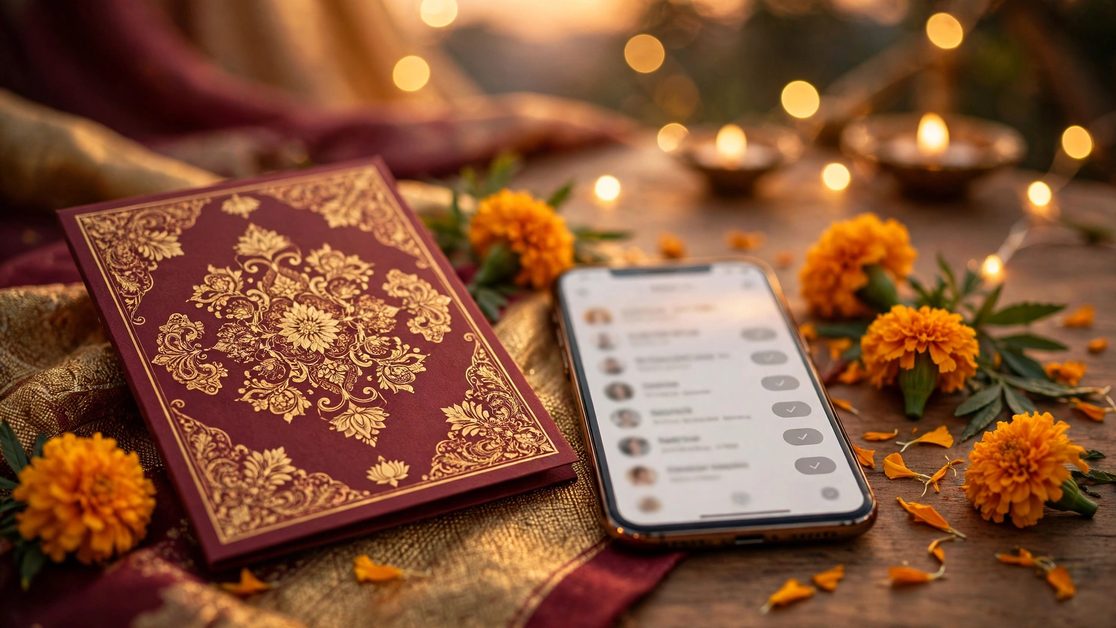
RSVP Tracking for Indian Weddings: How to Know Who's Actually Coming (2026 Guide)
RSVP tracking for Indian weddings is the difference between a smoothly run celebration and a caterer asking, at 7 pm on the wedding day, "Madam, 400 plates or 600?" Most Indian weddings invite 300 to 800 people across five or six functions, and the replies come in dribs and drabs — a "coming" on WhatsApp here, a "maybe" from an uncle there, silence from half the list. This guide gives you a system that actually works for Indian families: per-function headcounts, WhatsApp-first reminders, a clean guest list, and a follow-up timeline that ends with a number you can hand to your caterer with confidence.
The core problem is not that guests are rude. It is that Indian weddings are not one event. A guest may attend the Haldi and skip the Sangeet, come to the wedding but not the reception, or bring two extra family members nobody counted. A single "Are you coming?" cannot capture that. You need one reply per function, one headcount per household, and one place where every answer lives.
Why RSVP Tracking Is Harder at Indian Weddings
Before building a system, it helps to name what makes Indian weddings different from the Western RSVP model most advice is written for.
- Multiple functions, multiple answers. Haldi, Mehndi, Sangeet, wedding, reception — each has a different guest list and a different headcount. Tracking one yes/no for the whole wedding is useless for the caterer.
- Households, not individuals. An invitation goes to a family. "The Sharmas are coming" might mean two people or six. Every reply must capture a headcount, not just a name.
- Plus-ones are family, not dates. Guests bring parents, spouses, children and sometimes a driver. The question is never "plus-one?" — it is "how many of you?"
- Replies arrive on WhatsApp, calls and in person. There is no single channel. Your system must accept answers from everywhere and record them in one place.
- Elders do not fill forms. A beautiful online form means nothing if half your guest list will only reply to a phone call from a family member.
None of this is a reason to give up on tracking. It is a reason to track differently: one link, one tap per function, and a human follow-up for everyone who does not tap.
Step 1: Build One Guest List Before You Send Anything
Every RSVP problem starts with a messy guest list. Before a single invitation goes out, build one master list — a spreadsheet is fine — with these columns for every household:
- Family or household name (as it appears on the invitation)
- Primary contact name and WhatsApp number
- Expected headcount (your best guess: adults + children)
- Functions invited to (Haldi / Mehndi / Sangeet / Wedding / Reception)
- Side of the family (bride / groom / common)
- City and travel needs (outstation guests need hotel and transport notes)
- RSVP status per function (Pending / Yes + count / No / No reply)
Two rules make this list work. First, one row per household, never per person — a family of five is one row with a headcount of five. Second, decide the "expected headcount" honestly and write it down. That number is your planning baseline; the RSVPs refine it, they do not replace it. Caterers in India typically plan for 70–80% attendance of the invited list for a local wedding and 60–70% for a destination wedding, but your own family's history is a better guide than any average.
Step 2: Make Replying Take Less Than 10 Seconds
Guests do not ignore RSVPs out of malice. They ignore them because replying feels like work. The fix is to make the reply effortless:
- One tap per function. The guest opens the invitation, sees each function with its date and time, and taps "Attending" or "Can't make it" for each one. No account, no form, no typing.
- Headcount in the same tap. After tapping "Attending", the guest picks how many people are coming — including children. One extra tap, no typing.
- WhatsApp as the default channel. Most Indian guests live on WhatsApp. An RSVP button that opens a pre-filled WhatsApp message ("Hi, the Sharma family — 4 people — will attend the wedding and reception") gets far more replies than a web form.
- Put the RSVP on the invitation itself. If the RSVP lives on a separate link or a separate message, half your guests will never find it. A digital wedding invitation with a built-in RSVP button puts the reply exactly where the guest is already looking.
Jobitra's digital invitations include a built-in RSVP button on every plan — Celebration (₹499 for 3 months) includes an RSVP Dashboard, and Family (₹1,499 for 6 months) adds an Advanced RSVP Dashboard — so replies from every guest land in one dashboard instead of scattered across a hundred WhatsApp chats. If you are using printed cards, add a QR code that opens the same RSVP link; the guests who scan it reply in seconds, and the ones who do not get a phone call later (see Step 4).
Step 3: Track Per-Function Headcounts, Not Just Yes/No
This is the step most couples skip, and it is the one the caterer cares about most. A single "yes" tells you nothing about how many plates to order for the Sangeet versus the reception. Set up your tracker so every function has its own column:
| Household | Haldi | Mehndi | Sangeet | Wedding | Reception | Total plates |
|---|---|---|---|---|---|---|
| Sharma family | 4 | — | 4 | 4 | 4 | 16 |
| Patel family | — | — | 2 | 2 | — | 6 |
| Iyer family | — | — | — | 3 | 3 | 6 |
Read the table down each column and you have the headcount for every function. Read it across each row and you know exactly what each family is attending. When a guest changes their mind — and someone always does — you update one cell, not a whole conversation thread.
Two practical tips. First, count children separately in your head but together in the total: a child eats less, but still eats, and still needs a chair. Second, add a 5–10% buffer to the final number for each function. Last-minute additions are a certainty at Indian weddings; a buffer turns them from a crisis into a footnote.
Step 4: The 4-Week Follow-Up Timeline That Gets Replies
Sending invitations is not the same as getting RSVPs. Replies follow a timeline, and your job is to nudge at the right moments — firmly, politely, and without becoming the family member everyone avoids.
4 weeks before: invitations go out, RSVP deadline is set
Send every invitation with a clear RSVP date — ideally 10–14 days before the first function. Put the date on the invitation itself, not in a separate message. "Please RSVP by 12 November" is a deadline; "please let us know" is a wish.
2 weeks before: the first gentle reminder
Send a short WhatsApp broadcast to everyone still marked "Pending". Keep it warm and short — one message, one link, one deadline. See the copy-paste samples below.
1 week before: the personal nudge
This is where most of the replies come from. Divide the pending list between both families and make personal calls or individual WhatsApp messages — not a group message, which everyone assumes someone else will answer. A two-minute call ("Just checking — will you all be able to make it to the Sangeet? How many of you?") resolves in minutes what a broadcast never will.
3 days before: the final headcount lock
Freeze the numbers and share them: caterer, venue, decorator, transport. From this point, changes go to one person only (nominate one — usually the bride's or groom's sibling), so the caterer is not fielding calls from twelve relatives.
On the day: a 10% buffer, and a calm mind
Some guests will arrive who never replied. Some who replied yes will not come. That is normal. A 10% buffer on food and seating absorbs it. Do not spend the wedding morning re-counting — that is what the buffer is for.
Copy-Paste WhatsApp Reminder Messages That Actually Get Replies
Steal these. Change the names, dates and link, and send them as-is.
1. The first reminder (2 weeks before)
Hi! This is a gentle reminder — our wedding functions begin on [date]. If you haven't already, please tap the RSVP button on our invitation link [link] and let us know which functions you'll join, and how many of you are coming. It really helps us plan food and seating. Please reply by [date]. Can't wait to celebrate with you! — [Your names]
2. The personal nudge (1 week before)
Hi [Name]! Just checking in — we'd love to have you at the wedding on [date]. Could you let me know how many of you will be coming, and whether you'll make it to the Sangeet on [date] too? Just reply here with the number. Thank you!
3. The outstation-guest message
Hi [Name]! We know you're travelling from [city] — thank you for making the trip. Could you confirm your arrival date and how many of you are coming? We've arranged stay at [hotel/venue] — just let us know so we can keep your rooms ready. Safe travels!
4. The final headcount message (3 days before)
Hi everyone! Final call for headcounts — our caterer needs the final number tomorrow. If you haven't RSVP'd yet, please reply with the number of people coming from your family, and which functions you'll attend. Thank you so much!
5. The polite "we need a number" for the relative who keeps saying "we'll see"
Hi [Name], totally understand things are uncertain! Even a rough number helps — if you think it's likely 3 of you, we'll plan for 3, and if plans change just let us know by [date]. No pressure at all, we just want enough food and chairs for everyone.
Guest-List Hygiene: 6 Mistakes That Corrupt Your Count
- Duplicate households. The same family invited by both sides, listed twice, counted twice. Merge duplicates the day you build the list.
- Counting the same person in two functions' totals. Fine — that is the point of per-function columns. The mistake is adding all five functions together and calling it your guest count.
- Forgetting the "maybe" pile. Every "maybe" needs a decision date. If they have not confirmed by the 1-week mark, treat them as not coming for catering, and keep two spare tables ready.
- Children counted as adults — or not counted at all. Decide one rule (children under 10 count as half a plate, or count fully) and apply it everywhere.
- Vendor and staff meals missing from the count. Photographers, videographers, decorator crew, musicians, drivers — they all eat. Add a separate vendor-meals line to your final number.
- No single owner of the list. If four people update four copies, the count is fiction. One spreadsheet, one owner, one daily update.
RSVP Tracking Checklist: From Invitations to Final Numbers
- Master guest list built — one row per household, with expected headcount
- Functions marked per household (who is invited to what)
- Invitation sent with built-in RSVP button and a clear reply-by date
- QR code on printed cards pointing to the same RSVP link
- RSVP replies landing in one dashboard, not scattered chats
- 2-week reminder sent to all pending guests
- 1-week personal calls done — pending list split between families
- "Maybe" guests given a decision date, then resolved
- Vendor and staff meals added to the final count
- Final numbers shared with caterer, venue and decorator 3 days before
- 10% buffer added to food and seating for each function
- One person nominated as the single point of contact for last-minute changes
What to Do When Guests Don't Reply At All
Even with the best system, 10–20% of guests will never reply. Here is how to handle them without stress:
- Close family and elders: call them. They expect a call, and a call is a sign of respect, not pestering.
- Friends and colleagues: one WhatsApp message, then count them as not coming if they stay silent past the deadline. Most will understand — and many will turn up anyway, which is what the buffer is for.
- Outstation relatives: if they have booked travel, they are coming — count them. If they have not mentioned travel by the 1-week mark, ask once, directly.
- Never chase on the wedding day. By then the number is locked. Enjoy the wedding.
Frequently Asked Questions
How far in advance should I ask guests to RSVP for an Indian wedding?
Set the RSVP deadline 10–14 days before the first function. Send invitations 4–6 weeks before the wedding so guests have time to plan travel, and start personal follow-ups one week before the deadline for anyone still pending.
What is a good RSVP response rate for an Indian wedding?
Expect 60–70% of invited households to reply without chasing, and 85–90% after one reminder and one round of personal calls. The remaining 10–15% are handled with your planning baseline (expected headcounts) plus a 10% buffer — not by chasing them on the wedding day.
How do I count guests who are invited to some functions but not others?
Track headcounts per function, not per wedding. Keep one column per function in your guest list and record the number attending each one. Your caterer needs the Sangeet number and the reception number separately — a single total is useless to them.
Should children be included in the RSVP headcount?
Yes — always count children, and count them in the number you give the caterer. A child still needs a chair and a plate. If your caterer charges differently for children, note the child count separately, but never leave children out of the total.
What is the easiest way to collect RSVPs on WhatsApp?
Use a digital invitation with a built-in RSVP button — guests tap once per function and pick their headcount, and every reply lands in one dashboard. If you use printed cards, add a QR code that opens the same RSVP link. For guests who will not tap anything, a two-minute phone call from a family member works better than any form.
How many extra plates should I plan for an Indian wedding?
Plan a 10% buffer over your final confirmed headcount for each function. Last-minute additions — a relative who decides to come, an extra family member, a guest who brings someone — are normal at Indian weddings, and a buffer turns them from a crisis into a footnote.
Conclusion: The Number Is the Point
RSVP tracking is not about etiquette. It is about a number — the number of plates, chairs and rooms your wedding actually needs. Build one guest list, make replying effortless, track every function separately, and follow up on a fixed timeline. The couples who do this stop guessing, stop over-ordering food by hundreds of plates, and stop fielding panicked calls from the caterer on the wedding morning.
If you want the replies to collect themselves, create your wedding invitation on Jobitra — every digital invitation comes with a built-in RSVP button, and the Celebration plan (₹499 for 3 months) includes an RSVP Dashboard that gathers every guest's reply in one place, while the Family plan (₹1,499 for 6 months) adds an Advanced RSVP Dashboard for multi-function headcounts. Browse the wedding templates, check pricing, or download the Jobitra app to build your invitation tonight — and send it with a reply-by date your caterer will thank you for.