QR Code on Wedding Invitations: 7 Smart Uses for Indian Weddings (2026 Guide)
QR Code on Wedding Invitations: 7 Smart Uses for Indian Weddings (2026 Guide)
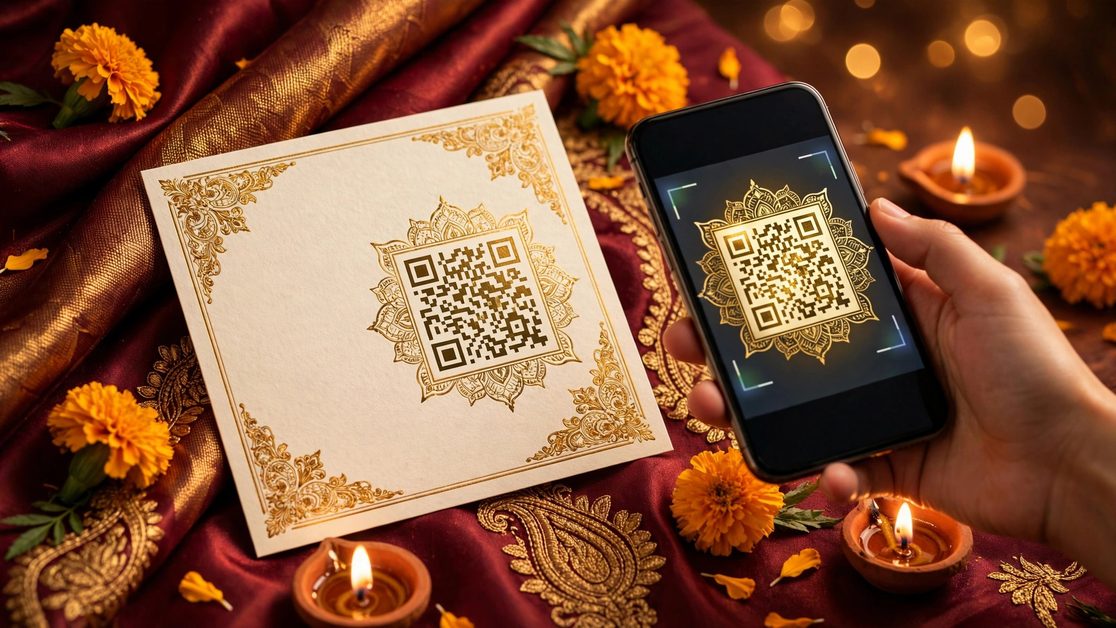
That tiny square on a wedding card is quietly becoming the hardest-working detail of modern Indian weddings. A QR code on a wedding invitation turns a static card into an interactive one — one scan and your guest is on the venue map, on the RSVP form, or in the shared photo album. No app to download, no link to type: every phone camera today reads QR codes natively.
And here's the golden rule that everything in this guide is built on: one QR, one job. A single code doing five things gets ignored; a clearly labeled code doing exactly one thing gets scanned. With that rule in mind, here are the seven smartest ways Indian couples in 2026 are putting QR codes on their wedding invitations — plus the design rules that make them actually work, and the honest etiquette notes (UPI shagun money included) nobody else writes.
- What it is: a scannable code on the card or venue signage that opens a link — map, RSVP, album — without typing anything.
- The golden rule: one QR, one job. Label every code ("Scan for venue map").
- The India headline: the highest-converting use for Indian weddings is a QR that opens a pre-filled WhatsApp RSVP — because your guests RSVP on WhatsApp, not on Google Forms.
1. WhatsApp RSVP — the QR every Indian wedding should have
Best for: literally every Indian wedding.
Western guides tell you to link your QR to a Google Form. Indian guests, overwhelmingly, will not fill your Google Form. They will, however, reply on WhatsApp — so the smartest QR on an Indian wedding invitation opens a wa.me link with a pre-filled message like: "Hi! We are confirming for the wedding of Aarav & Diya on 14 Feb. Our count: 4. We can't wait!"
The guest taps send. You collect clean headcounts. Caterers love you. Two setup notes that matter: use a dedicated RSVP number (not the family group or the couple's personal number), and keep the pre-filled text short enough that guests can edit it without a paragraph of boilerplate to delete. This single QR alone is worth adding the code for.
2. Venue map pin — for the farmhouse nobody can find
Best for: farmhouses, resort venues, banquet halls hidden down confusing lanes, and destination weddings.
An address printed on a card ("Plot 27, Sector Lane, near the old banyan tree, 3rd left after the petrol pump") has never guided anyone home. A QR that opens the exact Google Maps pin — not just the typed address — has. Drop the pin yourself in Google Maps rather than trusting autocomplete: autocomplete regularly gets Indian localities, lanes and sector numbers wrong. Test the pin in an incognito window before you print, and put this QR on a separate enclosure card or the venue page of a digital invitation rather than the main card face, where space is precious.
3. Photo sharing — let guests build the candid album
Best for: reception tables, a photo-sharing station at the entrance, sangeet nights.
Photo sharing is the most widely adopted wedding-QR use there is, and it fits Indian weddings perfectly — your guests will take thousands of candid shots your photographer never sees. Create a shared album (Google Photos works well), set it to "anyone with the link can add," and put the QR on tent cards at the tables or on a small easel at the entrance: "Scan to add your photos — be our second photographer!" A week later you have an entire parallel album of the wedding nobody could have staged. Note: enable link-sharing before the event, and test the upload from a guest's phone once.
4. Per-function QRs — because your wedding has five venues, not one
Best for: multi-day Indian weddings where Haldi, Mehendi, Sangeet, Wedding and Reception each happen at a different place and time.
This is the section Western guides never write — they assume one ceremony, one venue. You don't have one venue; you have a family home for Haldi, a different lawn for Sangeet, and the main resort for the wedding. Options: print one QR per function on each function's card (clean, but more codes to manage), or use one dynamic QR that you update between functions (one code, new destination each time). Whichever you pick, label them explicitly — "Scan for Sangeet venue & time" — because a naked QR with no label is the code that never gets scanned.
5. Digital guestbook — capture the people who hate the paper book
Best for: reception entrances and cocktail hours.
The paper guestbook sits beautifully at the entrance and collects twelve signatures. A QR next to it — linking to a simple form that collects written messages, photos, and even short voice notes — collects hundreds, because guests who feel awkward writing in a big book will happily record a 15-second message from their phone. Put a small instruction line under the code: "Can't find words? Record us a voice note instead!" Read them on your first anniversary. You'll thank yourself.
6. UPI QR for shagun money — the honest etiquette guide
Best for: the digital envelope — handled with care.
Western blogs push Amazon and Zola gift registries. In Indian gifting culture, the real equivalent is shagun or envelope money, and a UPI QR is its digital form. But placement and wording matter enormously, so here are the rules:
- Never on the main invite face. The UPI QR goes on a separate small enclosure card, not on the primary card where the invitation itself lives.
- Word it as an option, not an ask. Something like: "Your presence is the greatest gift. For those who wish to bless us from afar, here is a small option." Never a price list, never a minimum.
- Context matters. It reads naturally at a large reception; keep it off intimate family-only ceremonies.
- Keep the receiving account separate. Use a dedicated UPI handle for the wedding so accounting (and thank-you notes) stay clean.
Done this way, a UPI QR is thoughtful. Done badly, it's the detail everyone talks about for the wrong reasons.
7. Thank-you QR — close the loop after the wedding
Best for: thank-you cards sent a week or two after the wedding.
The wedding ends and the gratitude logistics begin. A QR on your thank-you card linking to the curated photo gallery — or a short video message from the couple — turns a polite formality into something guests actually open. "Scan to relive the day with us — thank you for being there." It's the cheapest goodwill you'll ever buy, and it quietly keeps your photos circulating long after the hashtags die down.
Design rules: QR codes that actually scan
A QR that doesn't scan is worse than no QR — it teaches guests to ignore every code you print. The seven rules that prevent it:
- One QR, one job. A code doing five things gets ignored; a code doing one labeled thing gets scanned.
- Quiet zone. Keep clear space around the code at least four modules wide on all sides. Crowding the QR against a floral border is the #1 reason decorative codes fail.
- Contrast beats decoration. Dark code on a light background. Fancy colors and embedded logos are fine only if contrast stays high — always test after any design change.
- Size it right. Minimum about 2×2 cm on print; much bigger on table signs or entrance boards viewed from a distance.
- Dynamic beats static. Use a dynamic QR so the destination can be updated after printing — venue changes, album link swaps — without reprinting a single card.
- Test before you print. Scan the final design with 2–3 different phones (Android + iPhone), in lighting similar to the venue's.
- Label every QR. "Scan for venue map" beats a naked code, every time. Guests don't scan what they don't understand.
FAQ: QR codes on wedding invitations
Do I even need a QR code on a digital invitation?
Less than on paper. On a digital invitation the link is already tappable — the QR is redundant on the screen itself. It still matters for the printed cards and venue signage that accompany a digital invite, and for guests who prefer scanning to tapping. Keep the tappable link; use QRs where print is involved.
QR vs short link on a WhatsApp invite?
On WhatsApp, the tappable link wins — your guest is already on their phone looking at the invite, so a link they can tap beats a code they have to scan with the same phone. Reserve QRs for print and venue signage.
Is it rude to put a UPI QR for gifts on the invitation?
It depends entirely on placement and framing. A UPI QR on a separate enclosure, worded as an option rather than an ask, reads as thoughtful convenience — especially for outstation guests. On the main card face, or phrased like a payment demand, it reads badly. When in doubt, leave it off the main invitation.
My venue changed after I printed 500 cards — now what?
This is exactly the scenario dynamic QRs exist for. If you used a dynamic QR, you update the destination URL once and all 500 cards now point at the new venue — no reprinting. If you used a static QR, you're reprinting (or stuffing a correction slip into every envelope, which is worse). This alone is the strongest argument for dynamic codes on anything printed in bulk.
Will older guests manage to scan it?
Yes — if it's labeled clearly and printed large enough. The failure mode is never age; it's tiny, unlabeled, low-contrast codes. And one non-negotiable: never make anything QR-only for critical information. Always print the address, phone number or RSVP details alongside as a fallback.
Can one QR handle RSVP for all five functions?
One QR per function is cleaner, but if you'd rather keep one code, point it at a single page that lists per-function RSVP options (Haldi ✓ / Sangeet ✓ / Wedding ✓ …). Your catering counts stay accurate instead of collapsing into one meaningless "yes."
The three rules to remember
One QR, one job. Label every code. Dynamic beats static. Everything else in this guide is execution detail. Weddings in 2026 are already hybrid — paper for the elders, WhatsApp for the cousins, a digital invite for everyone — and a well-placed QR is the bridge between them.
Want the QR built in, not bolted on? Browse invitation templates with dynamic QR codes built into the design, or try the digital invitation app — your QR updates even after the invite is shared, so the "venue changed after printing" problem simply never happens. And if you're planning the video side of the invite too, our next post in this series covers exactly what to say in a 60-second wedding invitation video.