How to Create a Wedding Invitation Video in 2026 (Free, No Watermark)
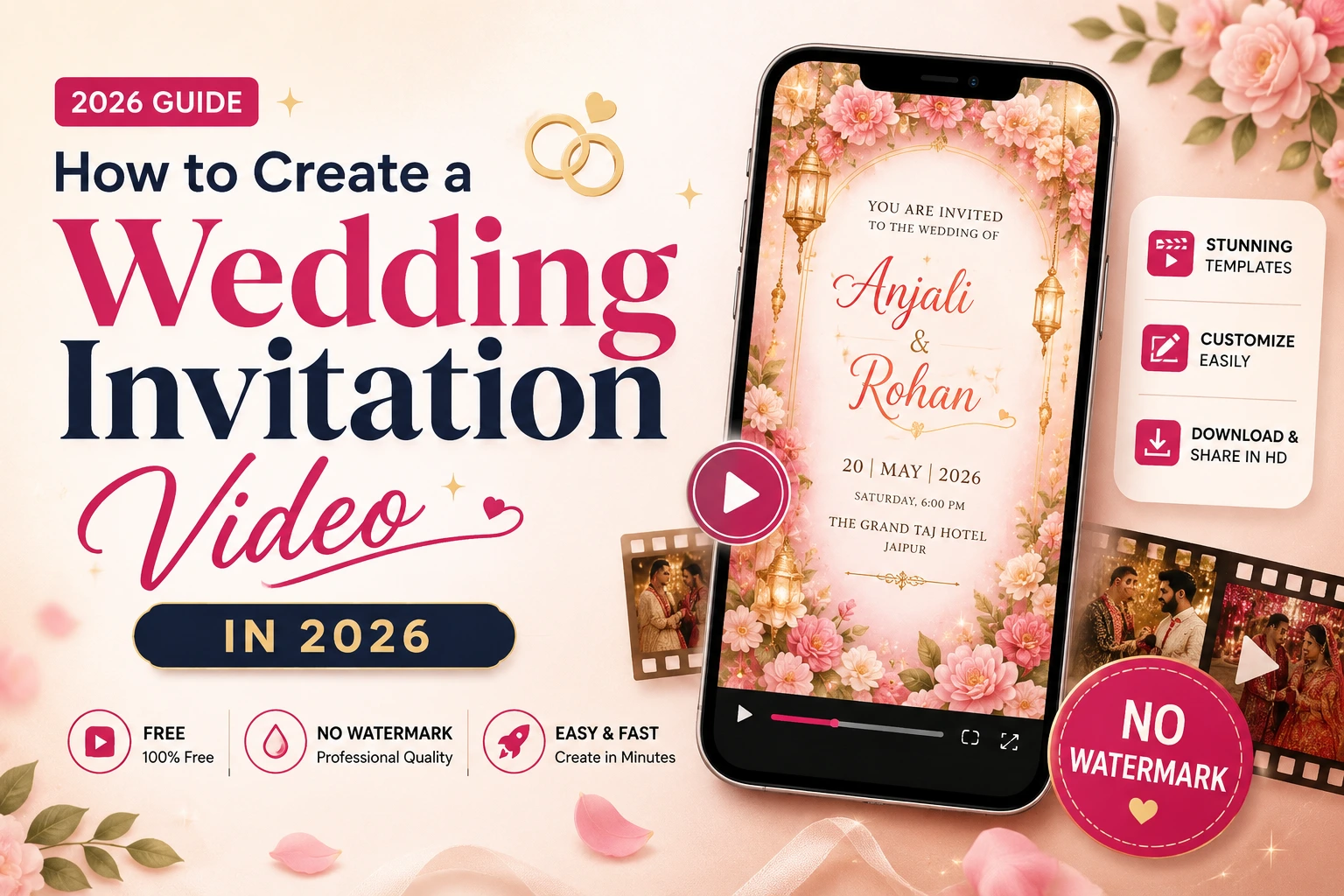
How to Create a Wedding Invitation Video in 2026 (Free, No Watermark)
Wedding cards used to be the first "announcement" a couple made to the world. In 2026, that job has quietly shifted to something more alive: the wedding invitation video. It moves. It has music. It shows the couple's faces, their story, their families' names, and the venue details — all in under a minute, forwarded on WhatsApp in a single tap. If you've been asked to "just send a video invite" and have no idea where to start, this guide walks you through exactly how to create a wedding invitation video for free, without a watermark ruining the final result.
Why Couples Are Switching From Cards to Video Invitations in 2026
A printed or PDF invitation is static — it says the facts and stops there. A video invitation does more with the same fifteen seconds of a guest's attention:
- It's shareable in the format people already use. WhatsApp, Instagram Stories, and family groups are built for video and images, not scanned PDFs.
- It saves money. Printing, courier, and last-minute reprints for spelling errors cost real money. A video can be edited and re-shared instantly.
- It reaches guests abroad instantly. No customs delay, no lost mail — an NRI cousin gets the same invite the same second as a guest next door.
- It feels personal. Adding a couple's photo, a voiceover, or a favorite song makes the invite feel like them, not a generic template.
- It works for every function. Sangeet, Haldi, Mehendi, Reception — each can get its own themed video instead of a single card trying to cover everything.
This is why "how to make wedding invitation video" has become one of the most searched phrases among engaged couples this wedding season — everyone wants the shareability without hiring a designer.
What You Need Before You Start
Before opening any wedding invitation video maker online free tool, gather these details so you're not stopping halfway through editing:
- Both names — spelled exactly as you want them to appear (double-check spouse and parents' names).
- Wedding date and day — write it in the format you want displayed (e.g., "Saturday, 14th February 2026").
- Venue name and city — and a Google Maps link if you plan to share it digitally.
- Parents' names — most Indian wedding invitations mention both sets of parents; confirm the honorifics (Mr./Mrs./Dr./Late Shri, etc.).
- Function schedule — timings for Haldi, Mehendi, Sangeet, Wedding, and Reception if you're combining events.
- 2–4 photos — a couple portrait works best; avoid heavily filtered images since text will be overlaid on them.
- A song or background score — an instrumental works safest for family groups; devotional or romantic tracks are common choices.
- Any script phrase you love — like "Together with our families" or a hometown-specific greeting — so it doesn't feel copy-pasted from a template.
Having this ready cuts your editing time from an hour to about ten minutes.
Step-by-Step: How to Create a Wedding Invitation Video (Free, No Watermark)
Step 1: Pick a Template That Matches Your Wedding Style
Start with a template built for your ceremony type — Hindu, Muslim, Christian, Sikh, or a fusion/destination wedding — rather than a generic party template. Templates designed specifically for weddings already have the right pacing: names appear first, then date and venue, then a closing family credit line. Browse ready-made wedding invitation video templates to see styles sorted by religion, region, and theme.
Step 2: Add Your Names, Date and Venue Details
Most modern makers let you type directly into text fields rather than manually placing text boxes. Fill in:
- Bride and groom's names
- Wedding date and time
- Venue name and address
- Family names (his side / her side)
Keep sentences short. "Ravi weds Ananya" reads better on a nine-second video frame than a full paragraph.
Step 3: Choose Your Music or Background Score
Music sets the tone before a single word is read. If your guest list spans grandparents and college friends, pick something universally warm — a soft instrumental or shehnai track for traditional invites, acoustic guitar for modern/destination weddings. Keep volume moderate so voiceovers or on-screen text don't feel drowned out.
Step 4: Personalize With Photos and Motifs
This is where a template stops looking like a template. Upload your couple photo, swap in motifs that reflect your wedding's color palette (gold and maroon for traditional, pastels for daytime garden weddings), and adjust font colors so the text is legible against your photo's background.
Step 5: Preview, Download, and Share — Without a Watermark
Always preview the full video before downloading — check spelling on names and dates frame by frame; this is the single most common area where mistakes slip through. Once everything looks right, download in HD and confirm there's no watermark stamped across the video, since a watermark instantly makes a wedding invite look unofficial or unfinished. From there, share directly to WhatsApp groups, Instagram, or email — no printing, no courier.
How to Make a Wedding Invitation Video Look Premium (Not Templated)
A few small choices separate a video that looks custom-made from one that screams "default template":
- Match fonts to your theme. Elegant serif fonts suit traditional ceremonies; clean sans-serif suits modern or destination weddings.
- Keep text on screen long enough to read twice. A rushed video forces guests to rewatch just to catch the venue name.
- Use consistent color grading across photos. Mixing a warm-toned photo with a cool-toned one breaks the premium feel instantly.
- Add subtle motion, not chaos. Gentle fade-ins and soft zooms look elegant; spinning text and flashing transitions look dated.
- End with a clear closing card. "We can't wait to celebrate with you" plus the date is a stronger closing than the video simply cutting off.
Best Wedding Invitation Video Styles in 2026
- Traditional/Religious: Temple bells, kalash motifs, or nikaah-style calligraphy paired with warm gold tones — ideal for Hindu, Muslim, and Sikh ceremonies.
- Cinematic Storytelling: A short "how we met" montage before the invitation details — popular for couples who dated for years before the wedding.
- Minimal & Modern: Clean typography, muted palettes, no heavy motifs — favored by destination and courthouse weddings.
- Animated Characters: Cartoon versions of the couple walking through key wedding moments — playful and popular with younger guest lists.
- Regional & Language-Specific: Invitations in Tamil, Bengali, Punjabi, Marathi, or bilingual formats so extended family reads the invite comfortably in their own language.
Common Mistakes to Avoid When Creating a Wedding Invitation Video
- Skipping the proofread. Names and dates are the two things guests actually need correct — always zoom in and check twice.
- Overcrowding the screen. Trying to fit every function's timing on one frame makes text unreadable on mobile.
- Choosing music with lyrics that clash with the mood. Upbeat pop under a solemn ceremony announcement feels mismatched.
- Ignoring mobile preview. Most guests will watch on a phone screen — always preview on mobile before sending.
- Forgetting a downloadable, watermark-free file. A watermark in the corner makes an otherwise beautiful invite look incomplete.
Free Wedding Invitation Video Maker vs. Paid Tools: What's the Real Difference
Free wedding invitation video maker online free tools have improved dramatically — many now offer full HD exports, editable text layers, and no forced watermark, which used to be the biggest gap between free and paid options. Where paid tools sometimes still win is in exclusive premium templates, advanced animation effects, and priority customer support for large multi-video wedding packages (Haldi + Mehendi + Reception bundles). For a single, elegant invitation video, a good free tool is usually all a couple needs.
How Long Does It Actually Take to Make a Wedding Invitation Video?
If you already have your details and photos ready, expect the actual editing to take 10–20 minutes for a simple template-based video. Add another 10 minutes if you're customizing colors, fonts, and adding a voiceover. Couples who create multiple videos — one each for Haldi, Mehendi, Sangeet, and Reception — usually find the second and third videos take half the time of the first, since they're reusing the same photos and just swapping event names and timings.
Compare that to a printed invitation process: designing with a printer typically takes 3–7 days for proofs and revisions, plus printing and delivery time on top. For couples working with a compressed wedding timeline, or those adding or updating guests at the last minute, the speed difference alone makes video invitations the practical choice.
Sample Script Structure for a Wedding Invitation Video
If you're unsure how to sequence the information so it doesn't feel rushed, use this structure as a starting point:
- Opening frame (2–3 seconds): A motif, monogram, or soft fade-in — no text yet, just sets the tone.
- Names reveal (3–4 seconds): "Ananya weds Ravi" in large, clear text.
- Family line (3 seconds): "Together with their families" or specific parent names.
- Date and day (3 seconds): "Saturday, 14th February 2026."
- Venue (3–4 seconds): Venue name and city, optionally with a small map icon.
- Function details (if combining events, 4–6 seconds per function): Haldi, Mehendi, Sangeet, Reception timings.
- Closing message (3–4 seconds): "We can't wait to celebrate with you" or a warm closing line, plus a final couple photo.
This pacing keeps each piece of information on screen just long enough to read without dragging the video out past a minute.
Wedding Invitation Video Ideas for Every Ceremony Type
- Hindu Weddings: Diya and kalash motifs, warm gold-and-red palettes, shehnai or devotional background music, and a closing frame invoking blessings from both families.
- Muslim Weddings (Nikaah/Walima): Elegant Arabic-inspired calligraphy fonts, crescent motifs, and a respectful, calm musical tone — often instrumental nasheeds.
- Christian Weddings: Soft pastel palettes, floral or church-inspired frames, and a gentle orchestral or acoustic score.
- Sikh Weddings (Anand Karaj): Khanda symbol accents, warm saffron tones, and shabad-inspired background music.
- Fusion & Inter-faith Weddings: A blended visual style — combining two color palettes or motifs — paired with music that reflects both families' traditions.
- Destination Weddings: Scenic backdrops of the actual location, a relaxed color palette, and lighter, more contemporary music choices.
Budget Comparison: Video Invitation vs. Printed Card
| Factor | Wedding Invitation Video | Printed Card |
|---|---|---|
| Upfront cost | Free to low-cost | Design + printing + paper cost |
| Correction cost | Free, instant edit | Reprint cost for every error |
| Delivery cost | None (digital sharing) | Courier/postage per card |
| Delivery time | Instant | Days to weeks |
| Reach (guests abroad) | Instant | Delayed or impossible for some |
| Keepsake value | Can be saved digitally forever | Physical keepsake |
Most couples in 2026 use video invitations for the bulk of their guest list and reserve a small batch of printed cards for close family who prefer something physical to hold.
Frequently Asked Questions
Is it really possible to make a wedding invitation video for free without a watermark?
Yes. Several modern platforms let you fully customize a template, preview it, and download an HD video with no watermark at no cost — you don't need to pay just to remove a logo anymore.
How long should a wedding invitation video be?
Between 15 and 60 seconds is ideal. Long enough to include names, date, venue, and a warm message; short enough that guests watch the whole thing instead of skipping it.
Can I make separate videos for Haldi, Mehendi, Sangeet, and Reception?
Yes, and it's recommended for larger weddings — a dedicated video per function keeps timing details clear instead of cramming everything into one clip.
What file format should I download my wedding invitation video in?
MP4 is the safest universal format — it plays natively on WhatsApp, Instagram, and most phones without needing a separate app.
Do I need editing skills to create one?
No. Modern wedding invitation video makers are built around templates — you type in your details, swap photos, and pick music. No design or video-editing background required.
Can I add a voiceover to my wedding invitation video?
Many tools support uploading a short voice note or narration track alongside your background music, which adds a very personal touch, especially for close family and friends.
Ready to Make Yours?
Creating a wedding invitation video no longer requires a designer, a budget, or technical skill — just your details, a template that matches your wedding style, and ten minutes of your time. Create your free wedding invitation video now and share it the moment it's ready — no watermark, no waiting, no printing costs.